TrendSpider User Guide: Creating Powerful Alerts With Conditional Criteria | TrendSpider Blog Skip to Main Content

TrendSpider User Guide: Creating Powerful Alerts With Conditional Criteria

|
Share on social media

At TrendSpider, we take pride in our alert system we created for users to apply to trendlines and upper indicators. We are now even more excited to announce that we have increased the abilities of this system to allow for complex conditional criteria to be created. To learn more about what we mean, check out the details in this blog!

Do you constantly stare at your chart waiting for all the indicators to all align? If so, this problem has come to a very quick halt. With the new conditional criterial alerts, you can input technical rules that you look for when trading and get alerted when these criteria become true. Follow this step-by-step guide to get your first conditional alert created today!

Creating Conditional Criteria Alerts
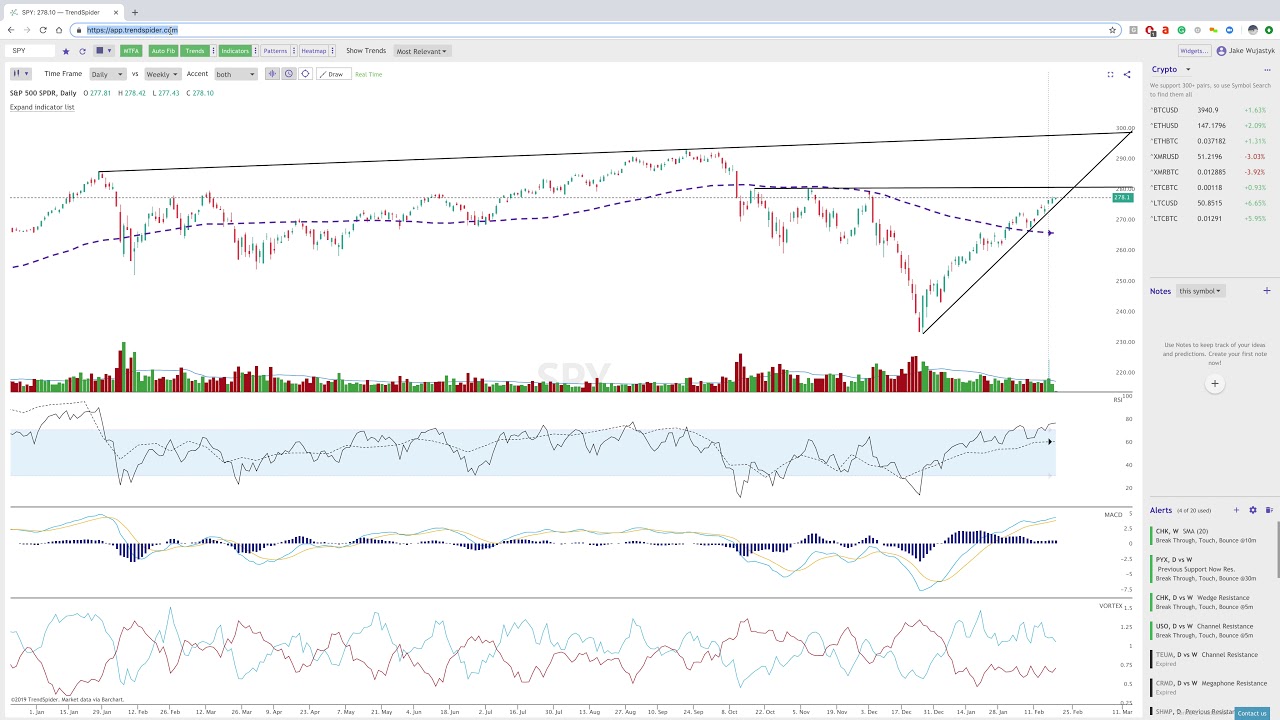
User Guide: Multi-Factor Price Alerts

Step 1: Click + to Add New Alert

Click the “+” button in the alerts column.

Add new alert in TrendSpider.

Step 2: Add Alert Details

Add alert details and choose between “All of the following” or “Any of the following”.

Add alert details in TrendSpider.

Step 3: Choose Conditional Criteria

Choose from conditional criteria to create your own unique signal in which the system will alert you when all conditions become true.

Example One:

Conditional alert criteria example in TrendSpider.

Example Two:

Conditional alert criteria example in TrendSpider.

Step 4: Choose “Expert Mode”

To choose conditions that may occur in other time frames, choose “expert mode”.

TrendSpider Alert Expert Mode.

Step 5: Save As Template

If this is a pattern you use often, make it a template by clicking the three dots next to “All of the following”.

Save alert as template in TrendSpider.

Step 6: Load From Template Library

If you would like to try out patterns from our library, you can test those out as well. NOTE: These are not meant to be traded on blindly and every trader should always do their DD before making any trade.


Alert Template Library in TrendSpider.

Stay up-to-date: Subscribe to posts like this!

Receive automated updates from the TrendSpider User Guide category
This site is protected by reCAPTCHA and the Google Privacy Policy and Google Terms of Service apply. Don't worry, we hate spam, too! See TrendSpider Privacy Policy for details.

Latest posts

|

Market Update Into September 14th: Rate Hike Incoming?

Markets turned bearish last week after CPI and PPI inflation data came in either hotter than expected or in line, pushing the odds of a rate hike next week above 85%. Oil added fuel to the fire, with futures surging past $100 per barrel as geopolitical tensions intensified and strengthened the case for a hike. […]
|

Apple Stock Surges on iPhone Duo Launch, AI Upgrades

Apple (AAPL) stock unveiled its first foldable iPhone, the iPhone Duo, at its “Surprise and Shine” event on September 9 under new CEO John Ternus, pricing the device at $1,999 — below the $2,099+ Wall Street had expected. Shares initially wiped out a midday loss to trade near $316 at announcement, and as of this […]
|

Adobe Stock Falls Despite Q3 Beat, Weak Q4 Guidance

Adobe (ADBE) stock reported Q3 FY2026 results after the close on September 10th, posting record revenue of $6.76 billion (up 13% YoY) and non-GAAP EPS of $6.13 versus the $6.09 estimate, while also raising its full-year revenue and EPS guidance. Despite those beats, shares fell on Friday to roughly $248, down from $266 just a […]
|

Oracle Stock Surges 8% on Q1 Beat, Guidance Raise

Oracle Corporation (ORCL) stock shares are trading roughly 8% higher Friday morning after the company reported a blowout Q1 FY2027 results late Thursday, posting adjusted EPS of $1.92 versus the $1.74 consensus estimate and revenue of $19.3 billion against an $19.1 billion estimate. The company simultaneously raised its full-year FY27 adjusted EPS guidance to $8.10 […]